An Excel add-in for institutional research

The filing lands in your model, inside Excel.

Filing Studio lives in the task pane. Type a ticker and the agent reads the real SEC filing and proposes each write, old to new, cell by cell, in your own workbook. Nothing lands until you approve it, every figure stays one click from the exact line it was printed on, and next quarter is one click.

Made by analysts, for analysts

The task pane

Your workbook. Your rows. The filing's numbers.

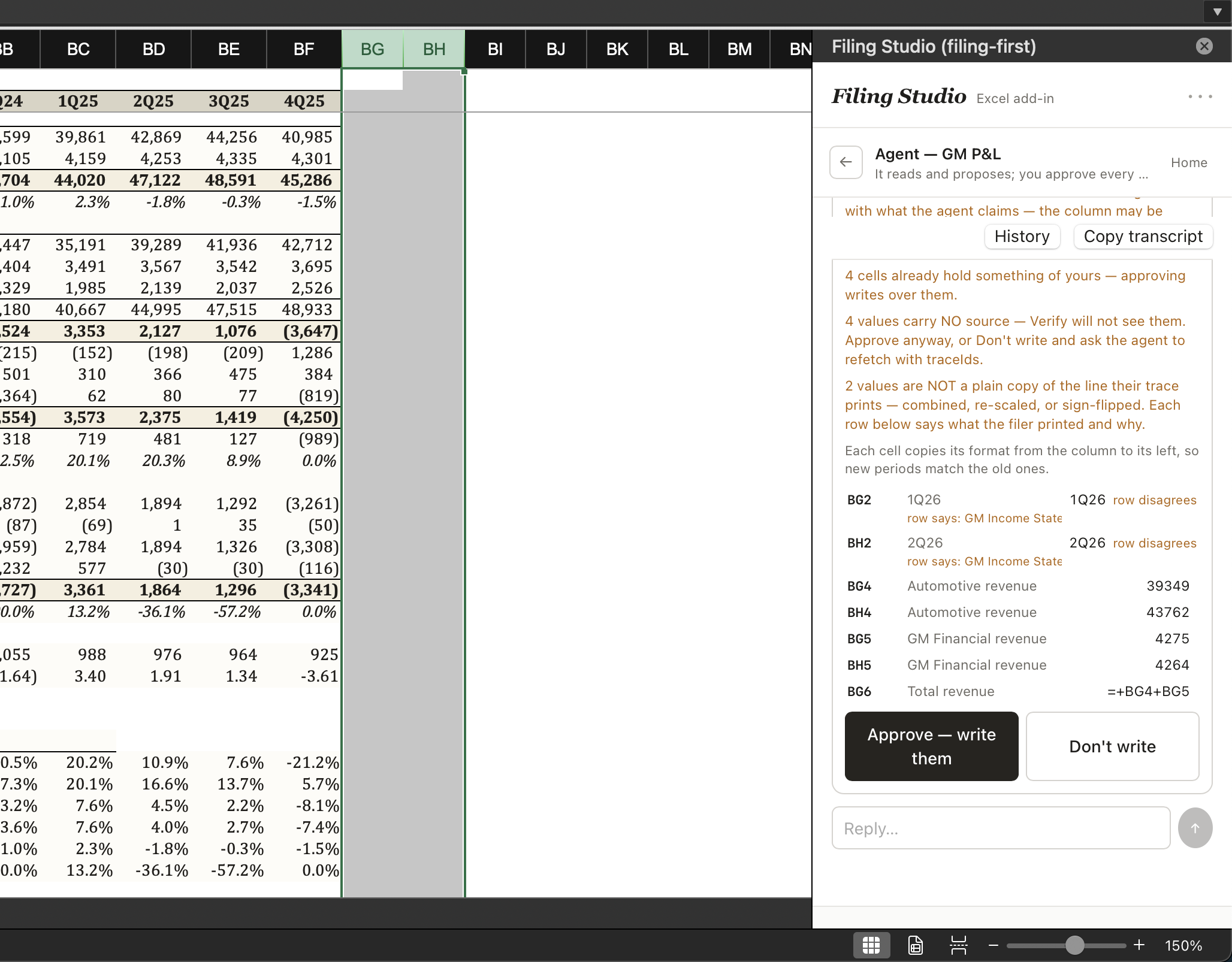
Lock the areas to target from Excel's own selection, press Run, and approve the writes the agent proposes, with your sheet's own row labels beside every value.

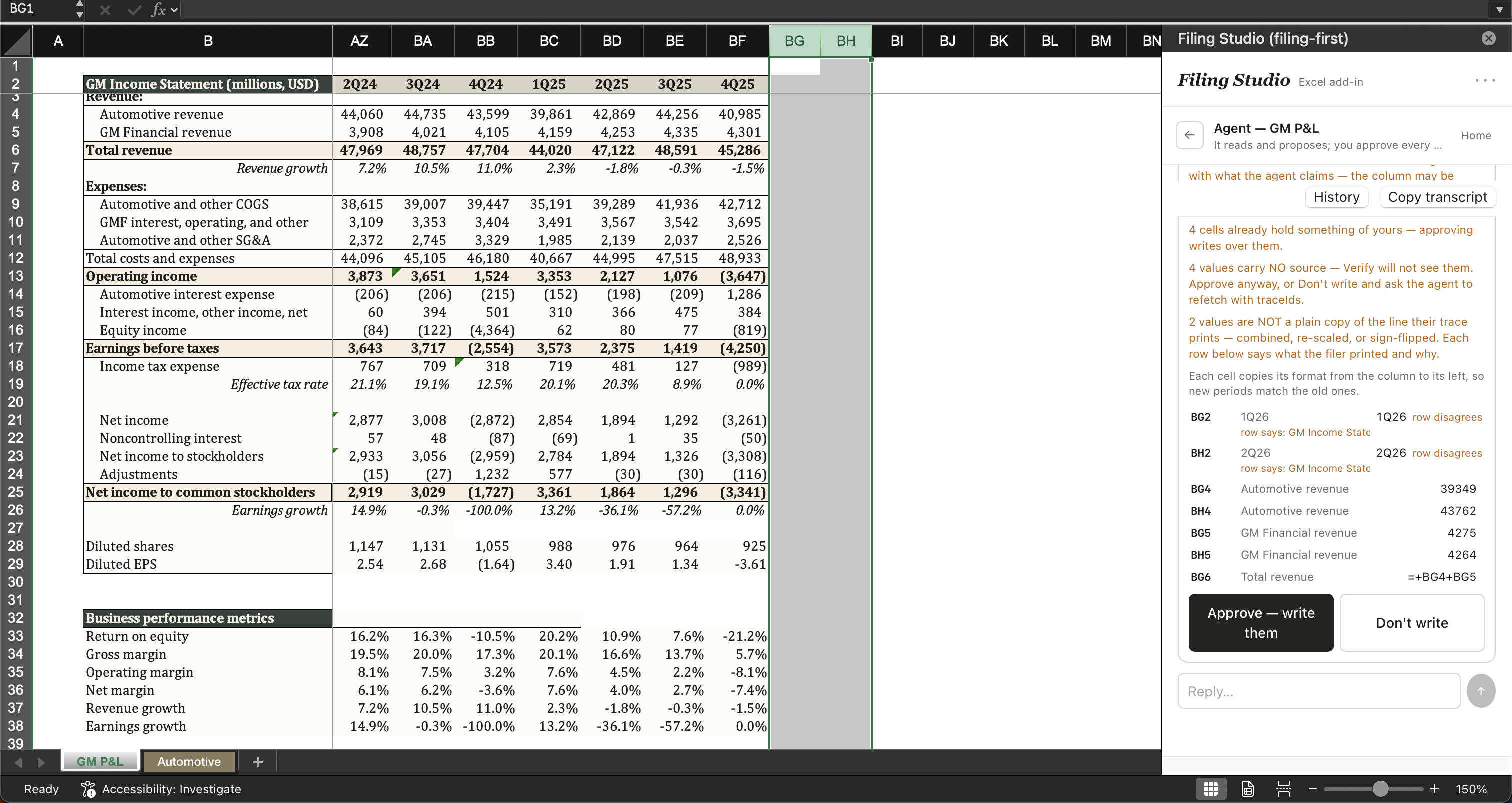
The Approve card open in the task pane beside a GM income statement. Every write is shown old to new per cell against the sheet's own row labels before anything lands.
20+ years of filings per name, back to the start of EDGAR, not a rolling seven-year window.
GAAP + IFRS domestic and foreign private issuers alike. You pick the table, the standard doesn't matter.
Every filer the whole EDGAR universe on demand, not a curated list of covered names.
Provenance, in plain words

Every number the agent reads from a filing arrives with a receipt from our server. To write a cell it must hand the receipt back, and the server, never the AI, records which filing, which table, which printed line.

No receipt, no source.
The AI can't invent or edit a receipt. A number without one is flagged unauditable. Only formulas and labels skip it.
No Approve, no write.
Nothing touches your workbook until you click Approve. Every write is shown old to new first.
Nothing lands unclicked

The agent proposes. You approve. Then it writes.

Every write is shown old to new, cell by cell, before it happens. Anything that is not a plain copy of its traced line, whether a combine, a re-scale, or a sign flip, is named on the card. The workbook keeps the provenance, so the model shows its work.

The agent

Lock the target. Press Run. Approve the writes.

Lock "Areas to target" from Excel's own selection and the agent maps your workbook, reads the printed filing tables it needs, and proposes each write. The Approve card shows old to new per cell against your sheet's own row labels, so a wrong landing is obvious before it happens.

  • Nothing lands unclickedOne Approve commits the batch: values and their provenance together.
  • Every adjustment namedA combine, re-scale, or sign flip is called out on the card, never slipped in.
  • Cited answersAsk a research question; every figure in the answer carries its filing cite.
Request access
The Approve card before any write. Cells shown old to new against the sheet's own row labels, with any value that is not a plain copy of its line named on the card.
Update

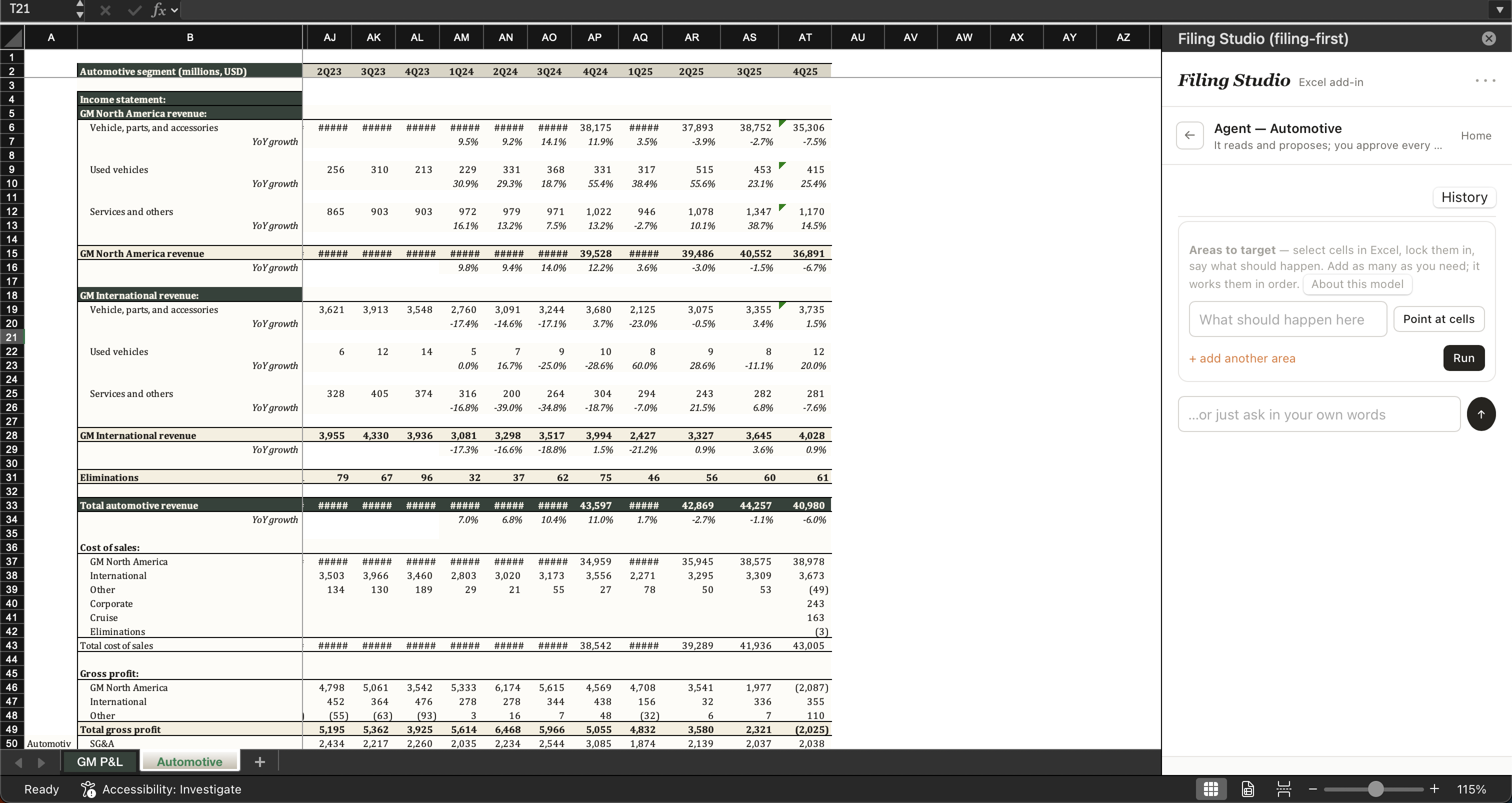
Next quarter is a prompt.

The mapping is written the moment a number lands: which workbook row is which filed line, from which filing. Type what should happen this quarter, press Run, and the agent re-finds the table, lines the new column up against your rows, and shows the fill before it writes. No re-linking pass, ever.

Request access
Updating with a prompt: the pane asks what should happen next quarter, with an area locked and a Run button, beside the Automotive sheet ready for the new column.
Provenance

Every number, one click from the exact line.

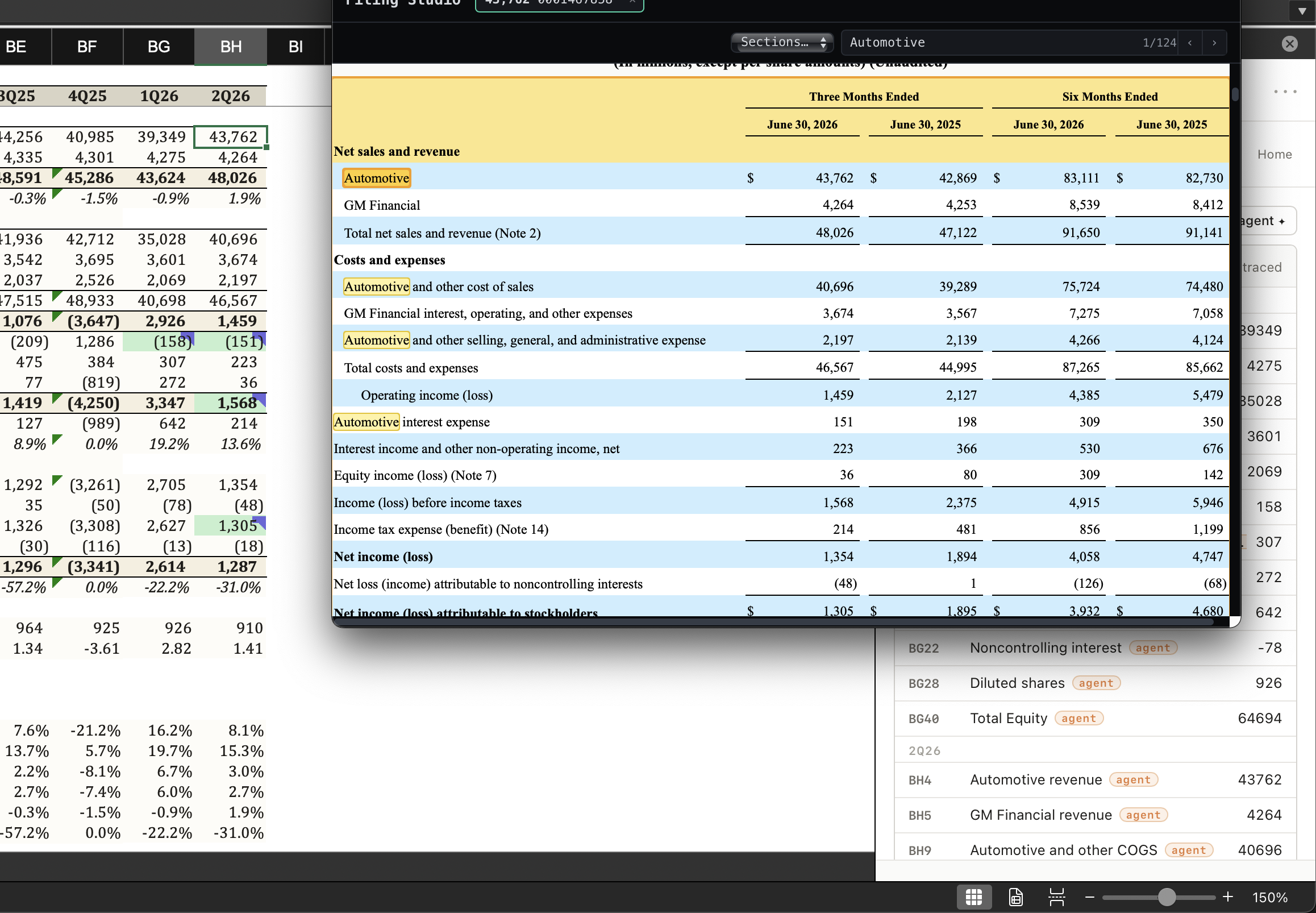
Each cell the add-in writes carries its source: the filing, the table, the printed line it came from. Click through and the real document opens at that line, the filer's own page, untouched, not a reconstruction. "Somewhere in this 10-K" is not a trace.

Request access
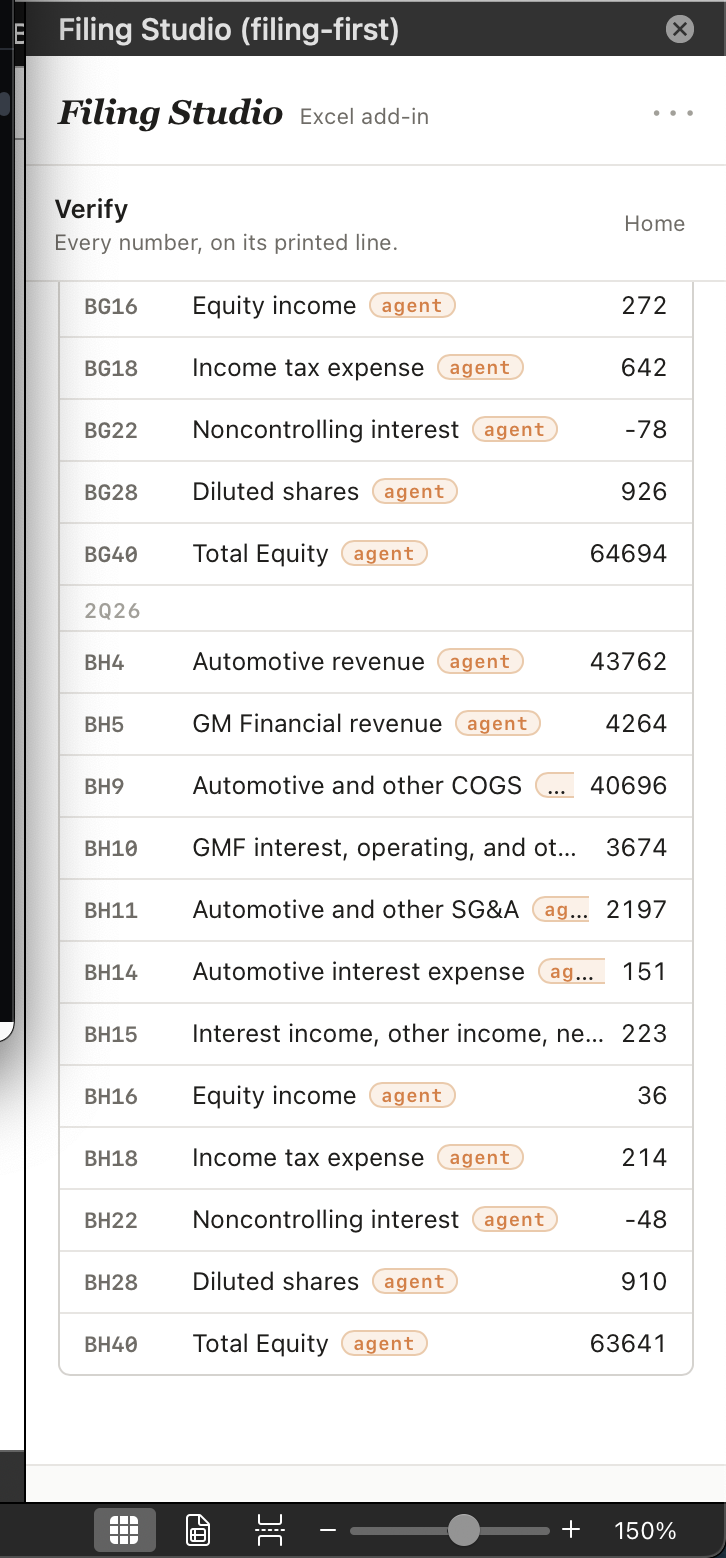
The model's ledger beside the filing viewer: the Automotive income statement open at the highlighted printed lines, each written cell traced back to where the number came from. The Verify rail: every written cell listed by its workbook row and label, tagged as agent-written, each one a click from its printed line.

The provenance standard for fundamental research.

A fifteen minute walkthrough on a name you cover, with the exported workbook in your inbox afterward. Seat licensing and pilot terms are covered on the call.