SEC Excel add-in
The SEC Excel add-in that reads the filing as printed.
Build a statement from the 10-K. Roll it forward each quarter. Click any cell and open the filing at the line that printed it. Every SEC filer.
Income Statement!G8 traced 10-K · Feb 25, 2026 · Revenue · 215,938
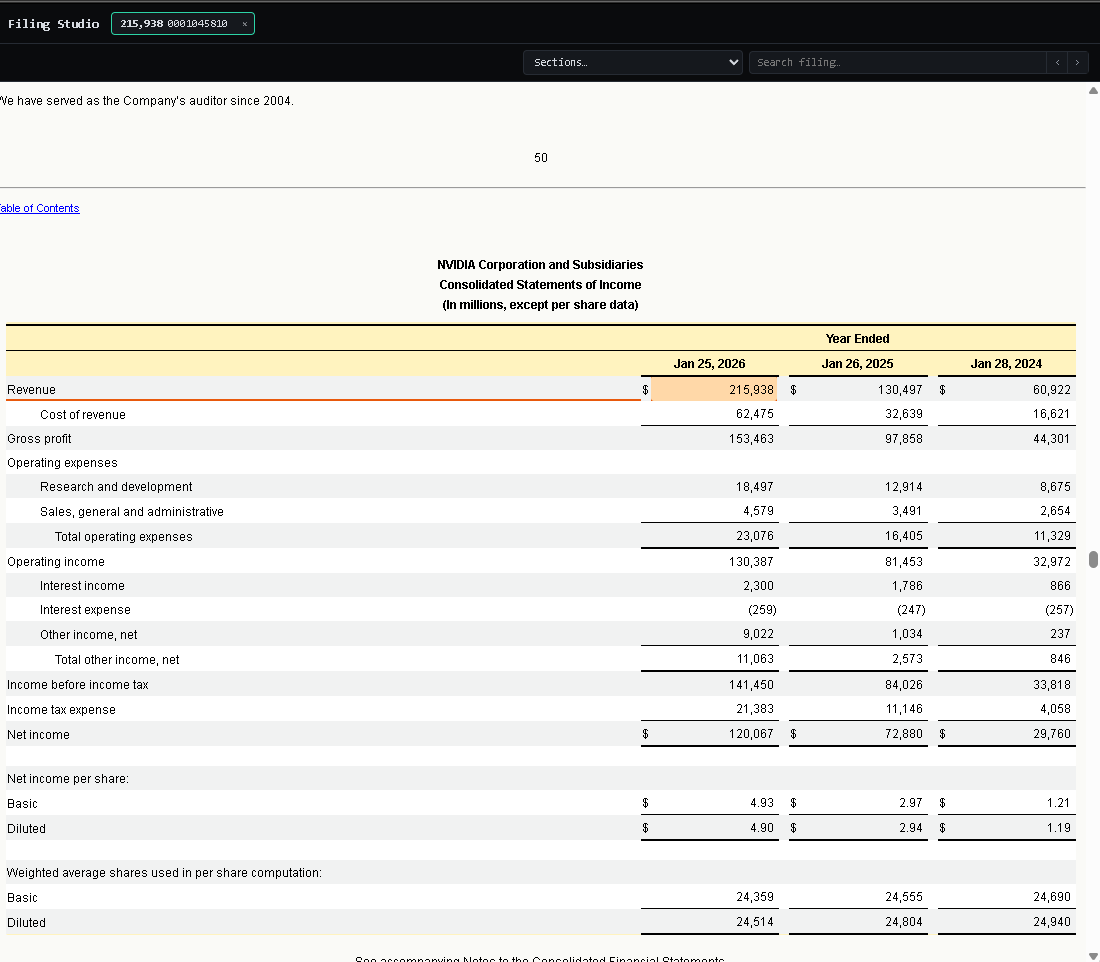
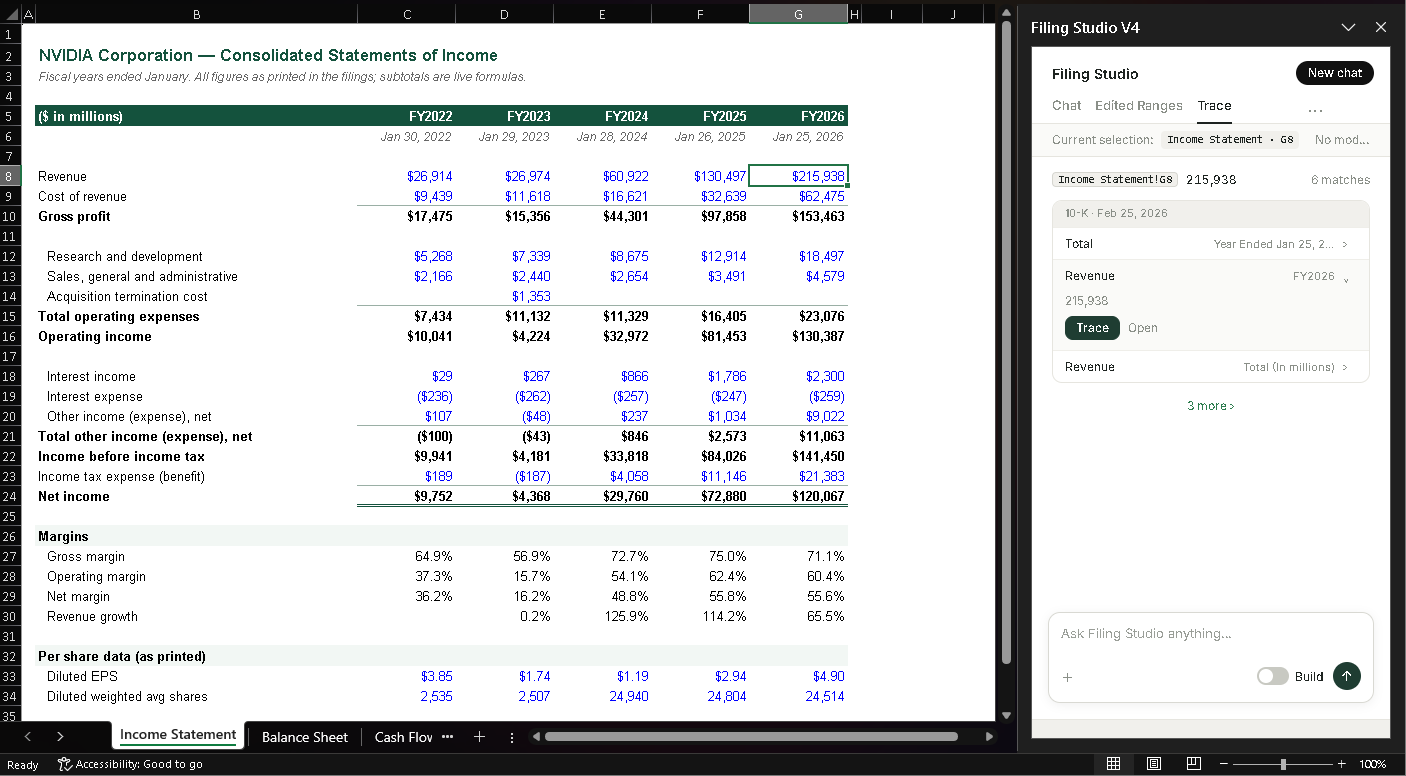
Printed, not tagged
How it differs from XBRL add-ins.
Most SEC Excel add-ins pull XBRL tags. Filing Studio reads the statement the company printed.
| Filing Studio | XBRL add-ins | |
|---|---|---|
| Source | The printed statement in the 10-K | XBRL tags, mapped to a schema |
| Units and labels | As the filer printed them | As the tag defines them |
| Trace | Filing, table, row, column, printed value | Tag name and context |
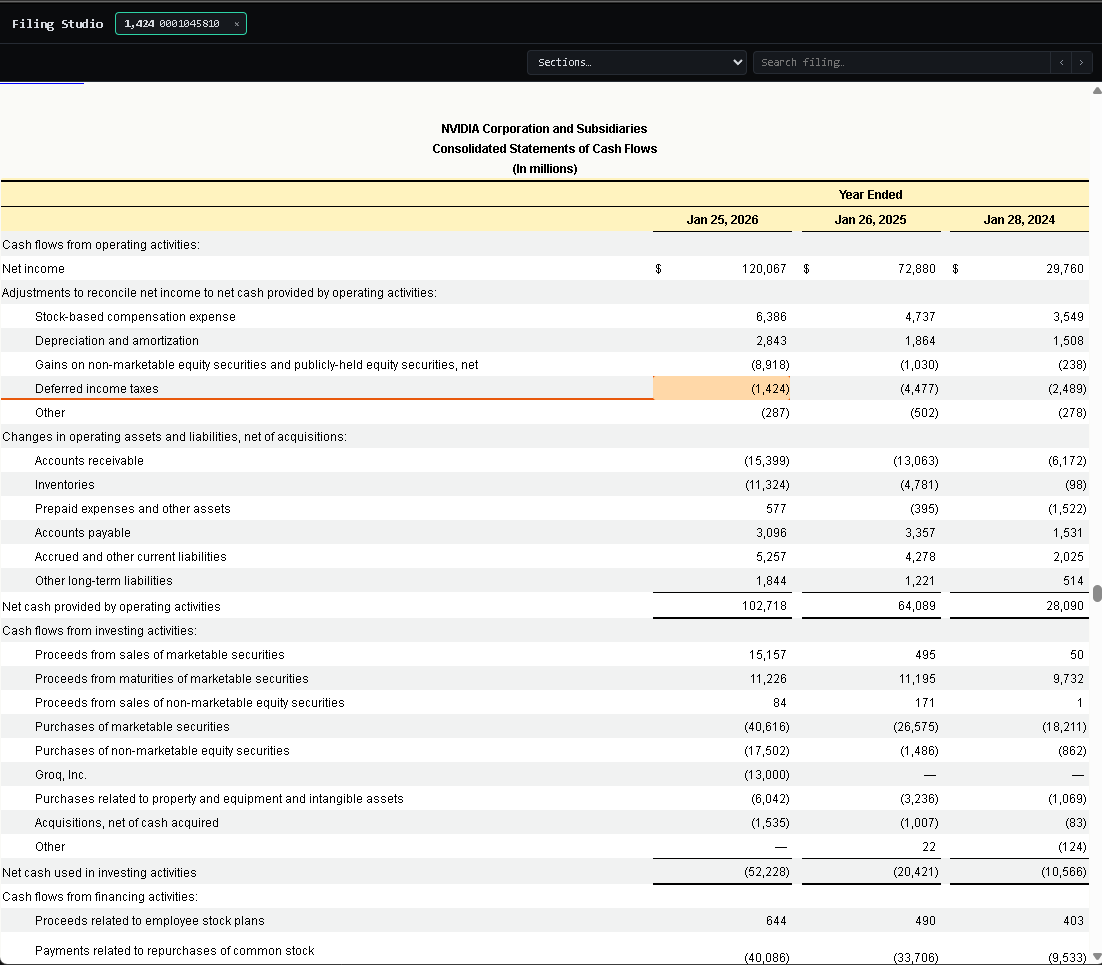
| Open the filing | At that line, cell marked | Usually not |
| Coverage | Every SEC filer, every form | Filers with XBRL for that fact |
| New quarter | Roll the model forward from the pane | Refresh formulas |
Three things it does
Build. Trace. Open in filing.
1
BuildAsk for a statement or a new period. It writes the cells. Edited Ranges shows what it touched.
2
TraceSelect a cell. See the filing, table, row and printed value.
3
Open in filingThe 10-K opens at that row, cell marked.
Questions
No. XBRL add-ins pull tagged facts. Filing Studio reads the statement the filer printed, so the number, units and footnote are the ones in the 10-K. Every cell traces to that printed line.
10-K, 10-Q, 20-F, 40-F, 8-K and 6-K, for every SEC filer, already indexed. New filings land the hour they hit EDGAR.
Excel for Windows, Mac and the web, as an Office add-in. IT can allowlist it.
It writes values into the cells you choose. Your formulas and formats stay.
Request a demo. We set you up on the call.